Промпт Скопировать
Добавь на мою страницу эффект «Меню, из строки которого миниатюры перелетают в сетку» (Codrops, оригинал Menu to Grid Layout Animation, автор Manoela Ilic, лицензия MIT). Ниже страница одним файлом на GSAP 3.13.0 с плагином Flip с jsdelivr, шрифты Inter Tight, Pixelify Sans и IBM Plex Mono из Google Fonts. Рядом нужны картинки `img/1.avif` … `img/31.avif` (оригиналы в https://github.com/codrops/MenuToGrid/tree/main/src/img, фото с Unsplash) или свои квадратные. Сначала перенеси как есть, наведи на строку и кликни, убедись, что миниатюры перелетают в сетку, а крестик возвращает меню, и только потом подгоняй.

Как устроен код. Скрипт строит строки `.row` и экраны превью `.preview__item` из массива `MENU`: у каждого пункта название, номера миниатюр в строке и номера дополнительных картинок для сетки. `enter(row)` по `mouseenter` проявляет миниатюры строки со сдвигом (`xPercent: 20 → 0`, `stagger: -0.035`) и через `swapTitle` выбрасывает название вверх и возвращает снизу с поворотом, переключая класс `cell__title--switch` (пиксельный шрифт); `leave(row)` делает обратное. `open(row)` ставит фиксированную подложку `.cover` ровно поверх строки и растит её до высоты окна, остальные названия уезжают вверх или вниз в зависимости от положения относительно строки, затем `Flip.getState(row.images)` → `row.grid.prepend(...row.images)` → `Flip.from(...)` переносит миниатюры в сетку `.grid`, а дополнительные картинки вырастают из `scale: 0` со случайным сдвигом по вертикали. `close()` сжимает все картинки, возвращает миниатюры в строку, схлопывает подложку к середине строки и возвращает названия с `stagger` от открытой строки. Флаги `isOpen` и `isAnimating` не дают запустить переход поверх перехода. Автодемо (`demo`) по кругу наводит, открывает и закрывает строки и выключается при первом касании, клике или колесе.

Что менять: пункты и картинки в `MENU`, размеры миниатюр `--img-size` и `--img-size-large`, отступы `--image-gap`, цвет подложки `--color-row-hover`, число колонок сетки превью (`grid-template-columns`), шрифты `--font-title` и `--font-alt`, длительности и `ease` в `open` и `close`. Если миниатюр в строке много, уменьши `--img-size`, чтобы они не наезжали на название.

Если проект на React: строки и превью рендери из массива, ссылки на узлы бери через `ref`. Flip переносит DOM-узлы миниатюр в другой контейнер, поэтому React не должен перерисовывать эти контейнеры во время перехода: держи состояние «открыто» в `useRef`, а не в `useState`, или используй вариант, где миниатюры рендерятся в сетке сразу, а перенос делает только `Flip`. Анимации создавай в `gsap.context()` внутри `useLayoutEffect` и вызывай `ctx.revert()` при размонтировании. Не убирай `noscroll` на `body` во время превью и закрытие по Escape. При `prefers-reduced-motion` все длительности равны нулю, меню и превью меняются мгновенно, автодемо выключено: оставь эту ветку.
Покажи, где на моём сайте такое меню будет к месту, и подставь мои разделы и картинки.
Код скопируется вместе с промптом
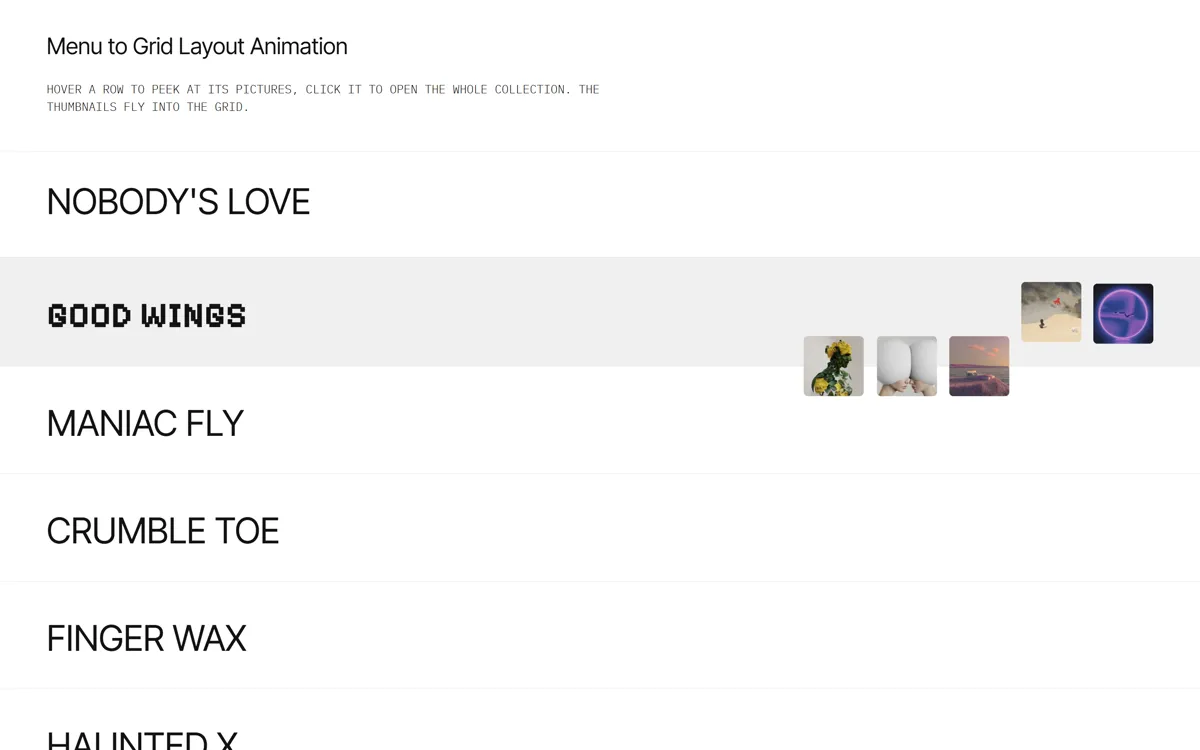
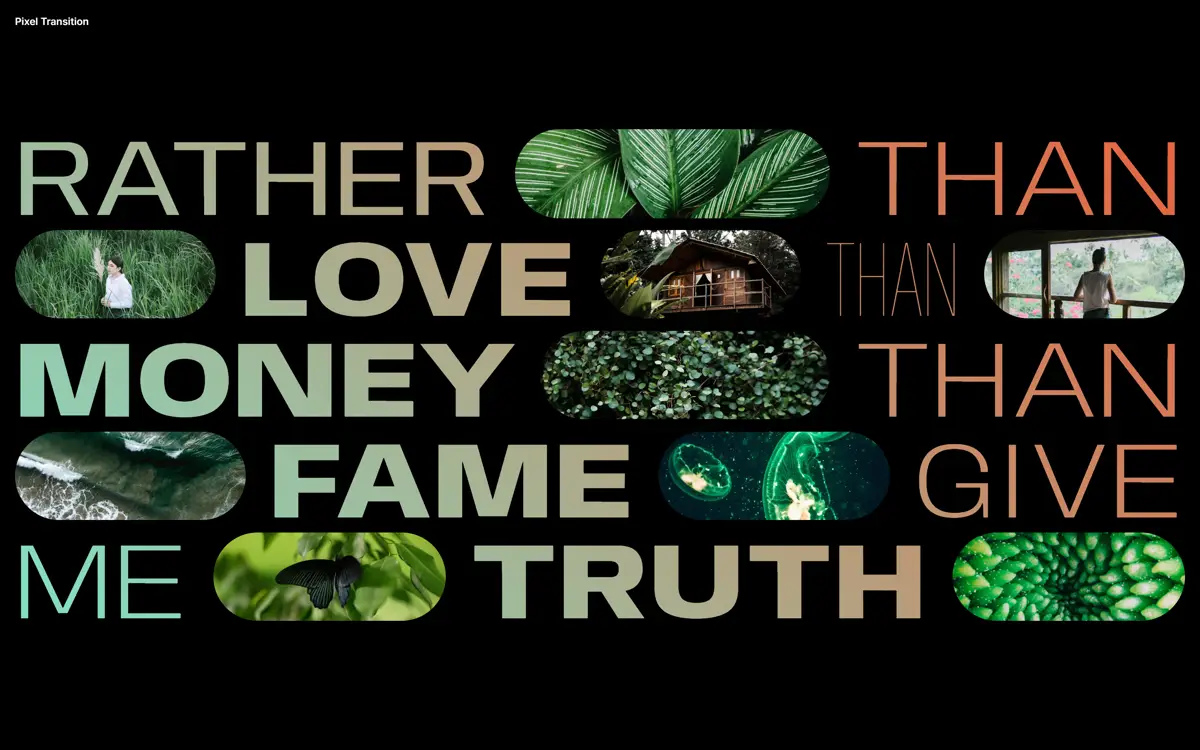
Светлый список-меню из крупных названий. При наведении на строку справа выезжают квадратные миниатюры, а название подпрыгивает и меняет шрифт на пиксельный. По клику серая подложка строки растягивается на весь экран, остальные названия уезжают вверх и вниз, а те же самые миниатюры перелетают из строки в большую сетку по центру, где к ним «всплывают» остальные картинки коллекции. Крестик возвращает всё обратно: картинки сжимаются, подложка схлопывается в строку, названия возвращаются волной от открытой строки.
Перелёт сделан плагином GSAP Flip: узлы миниатюр физически переносятся в сетку превью, а Flip анимирует их из старого положения в новое, поэтому не нужно ничего клонировать и считать координаты вручную. Подходит для списка проектов в портфолио, коллекций магазина, разделов журнала, каталога событий. Пока посетитель ничего не трогает, виртуальный курсор сам наводит строки и открывает коллекции, на телефоне строка открывается касанием.
Код Скопировать
<!-- Pictures: img/1.avif ... img/31.avif (replace with your own, square crops work best) -->
<!DOCTYPE html>
<html lang="en">
<head>
<meta charset="UTF-8">
<meta name="viewport" content="width=device-width, initial-scale=1">
<title>Menu to Grid Layout Animation</title>
<link rel="icon" href="data:,">
<link rel="stylesheet" href="https://fonts.googleapis.com/css2?family=IBM+Plex+Mono:wght@300;400&family=Inter+Tight:wght@400&family=Pixelify+Sans:wght@700&display=swap">
<style>
*, *::before, *::after { box-sizing: border-box; }
:root {
font-size: 14px;
--color-text: #131313; --color-bg: #fff; --color-row-border: #f0f0f0; --color-row-hover: #f0f0f0;
--pad-sides: 2rem; --pad-row: 1rem;
--image-gap: 1vw; --image-gap-large: 2vw; --img-size: 5vw; --img-size-large: 14vw;
--font-title: "Inter Tight", sans-serif; --font-alt: "Pixelify Sans", sans-serif;
}
body { margin: 0; color: var(--color-text); background: var(--color-bg); overflow-x: hidden;
font-family: "IBM Plex Mono", monospace; font-weight: 300; text-transform: uppercase; -webkit-font-smoothing: antialiased; }
body.noscroll { overflow: hidden; }
.unbutton { background: none; border: 0; padding: 0; margin: 0; font: inherit; color: inherit; cursor: pointer; }
.oh { position: relative; overflow: hidden; }
.oh__inner { display: inline-block; will-change: transform; }
.frame { padding: 3rem var(--pad-sides) 1rem; }
.frame h1 { margin: 0; font: 400 1.953rem/1 var(--font-title); text-transform: none; }
.intro { padding: 1rem var(--pad-sides) 3rem; max-width: 860px; margin: 0; line-height: 1.5; }
/* The light-grey layer that grows from the clicked row to the whole screen */
.cover { position: fixed; left: 0; width: 100%; height: 0; opacity: 0; z-index: 10; pointer-events: none;
background: var(--color-row-hover); will-change: height, top; }
/* Menu rows: title on the left, thumbnails on the right (hidden until hover) */
.content { position: relative; z-index: 100; border-bottom: 1px solid var(--color-row-border); }
.row { position: relative; z-index: 1; display: grid; grid-template-columns: auto 1fr; grid-template-rows: var(--img-size);
column-gap: 5vw; align-items: center; padding: var(--pad-row) var(--pad-sides); cursor: pointer;
border-top: 1px solid var(--color-row-border); transition: background-color .3s ease-out; }
.row:hover, .row:focus-visible, .row.is-hover { background: var(--color-row-hover); outline: none; }
.row--current { z-index: 11; }
.cell__title, .preview__title { margin: 0; font: 400 clamp(1.953rem, 4vw, 3.052rem)/1 var(--font-title); white-space: nowrap; }
.cell__title--switch { font-family: var(--font-alt); font-weight: 700; }
.cell--images { display: grid; grid-auto-flow: column; gap: var(--image-gap); justify-content: end; margin-left: auto; }
.cell__img { width: var(--img-size); opacity: 0; will-change: transform, opacity; }
.cell__img-inner { aspect-ratio: 1; width: 100%; border-radius: calc(var(--image-gap) / 3); background: 50% 50% / cover no-repeat; }
/* Full-screen preview: one item per row, its grid receives the row's thumbnails */
.preview { position: fixed; inset: 0; z-index: 200; pointer-events: none; }
.preview__close { position: absolute; top: 0; right: 0; z-index: 1; padding: 2rem; font: 400 2rem/1 sans-serif; opacity: 0; }
.preview__close--show { pointer-events: auto; }
.preview__item { display: grid; place-items: center; align-content: center; gap: 10vh; width: 100%; height: 0; opacity: 0; overflow: hidden; }
.preview__item--current { height: 100vh; height: 100dvh; opacity: 1; pointer-events: auto; }
.preview__title { font-family: var(--font-alt); font-weight: 700; font-size: clamp(1.563rem, 6vw, 3.815rem); }
.grid { display: grid; gap: var(--image-gap-large); justify-content: center; width: 100%; max-width: 1200px;
--img-size: var(--img-size-large); grid-template-columns: repeat(4, var(--img-size)); }
.grid .cell__img { width: var(--img-size-large); }
.page-footer { padding: 10vw var(--pad-sides) 5vw; max-width: 860px; margin: 0 auto; line-height: 1.5; }
@media (min-width: 61em) { :root { --pad-sides: 4rem; --pad-row: 2rem; } }
@media (max-width: 40em) {
:root { --img-size: 9vw; --img-size-large: 26vw; --image-gap: 1.5vw; --image-gap-large: 3vw; }
.row { grid-template-columns: 1fr; grid-template-rows: auto var(--img-size); row-gap: .75rem; }
.cell--images { justify-content: start; margin-left: 0; }
.grid { grid-template-columns: repeat(3, var(--img-size)); }
}
</style>
</head>
<body>
<main>
<header class="frame"><h1>Menu to Grid Layout Animation</h1></header>
<p class="intro">Hover a row to peek at its pictures, click it to open the whole collection. The thumbnails fly into the grid.</p>
<section class="content"><div class="cover"></div></section>
<section class="preview"><button class="preview__close unbutton" aria-label="Close">╳</button></section>
<footer class="page-footer">
<p>Each row is a menu entry with a few thumbnails. On click a cover grows from the row to fill the screen, the titles slide away and GSAP Flip moves the same thumbnail nodes into the preview grid, where the rest of the pictures pop in.</p>
</footer>
</main>
<script src="https://cdn.jsdelivr.net/npm/gsap@3.13.0/dist/gsap.min.js"></script>
<script src="https://cdn.jsdelivr.net/npm/gsap@3.13.0/dist/Flip.min.js"></script>
<script>
// Based on Codrops "Menu to Grid Layout Animation" by Manoela Ilic (MIT, Copyright (c) 2009-2021 Codrops),
// https://github.com/codrops/MenuToGrid. Pictures: img/1.avif ... img/31.avif
gsap.registerPlugin(Flip);
const reduceMotion = matchMedia('(prefers-reduced-motion: reduce)').matches;
const t = s => (reduceMotion ? 0 : s); // durations collapse to 0 with reduced motion
// Menu data: title, thumbnails shown in the row, extra pictures that pop into the preview grid
const MENU = [
['Nobody\'s Love', [6, 7, 8, 9], [27, 26, 25, 24]],
['Good Wings', [1, 2, 3, 4, 5], [30, 29, 28]],
['Maniac Fly', [10, 11, 12, 13, 14, 15], [22, 21]],
['Crumble Toe', [16, 17, 18], [20, 19, 30, 31, 2]],
['Finger Wax', [19, 20, 21, 22], [15, 14, 13, 12]],
['Haunted X', [23, 24, 25, 26, 27, 28], [11, 10]]
];
const imgHTML = n => `<div class="cell__img"><div class="cell__img-inner" style="background-image:url(img/${n}.avif)"></div></div>`;
const content = document.querySelector('.content');
const preview = document.querySelector('.preview');
content.insertAdjacentHTML('beforeend', MENU.map(([title, imgs]) => `
<div class="row" role="button" tabindex="0" aria-label="Open ${title}">
<div class="cell"><h2 class="cell__title oh"><span class="oh__inner">${title}</span></h2></div>
<div class="cell cell--images">${imgs.map(imgHTML).join('')}</div>
</div>`).join(''));
preview.insertAdjacentHTML('beforeend', MENU.map(([title, , extra]) => `
<div class="preview__item">
<h2 class="preview__title oh"><span class="oh__inner">${title}</span></h2>
<div class="grid">${extra.map(imgHTML).join('')}</div>
</div>`).join(''));
const cover = document.querySelector('.cover');
const closeCtrl = document.querySelector('.preview__close');
const rows = [...document.querySelectorAll('.row')].map((el, i) => {
const item = preview.querySelectorAll('.preview__item')[i];
return {
el, titleWrap: el.querySelector('.cell__title'), title: el.querySelector('.cell__title .oh__inner'),
imagesWrap: el.querySelector('.cell--images'), images: [...el.querySelectorAll('.cell--images .cell__img')],
item, itemTitle: item.querySelector('.oh__inner'), grid: item.querySelector('.grid'), itemImages: [...item.querySelectorAll('.cell__img')]
};
});
const allTitles = rows.map(r => r.title);
let isOpen = false, isAnimating = false, current = -1, enterTl = null;
// Title flips out upwards and comes back from below in the other font
const swapTitle = (tl, row, add) => tl
.to(row.title, { duration: t(0.1), ease: 'power1.in', yPercent: -100, transformOrigin: '0% 50%',
onComplete: () => row.titleWrap.classList.toggle('cell__title--switch', add) }, 'start')
.to(row.title, { duration: t(0.5), ease: 'expo', startAt: { yPercent: 100, rotation: 15 }, yPercent: 0, rotation: 0 }, 'start+=0.1');
function enter(row) {
if (isOpen) return;
row.el.classList.add('is-hover');
gsap.killTweensOf([row.images, row.title]);
enterTl = gsap.timeline().addLabel('start', 0)
.to(row.images, { duration: t(0.4), ease: 'power3', startAt: { scale: 0.8, xPercent: 20 }, scale: 1, xPercent: 0, opacity: 1, stagger: t(-0.035) }, 'start');
swapTitle(enterTl, row, true);
}
function leave(row) {
row.el.classList.remove('is-hover');
if (isOpen) return;
gsap.killTweensOf([row.images, row.title]);
const tl = gsap.timeline().addLabel('start', 0).to(row.images, { duration: t(0.4), ease: 'power4', opacity: 0, scale: 0.8 }, 'start');
swapTitle(tl, row, false);
}
// Row -> preview: cover grows to full screen, titles slide away, thumbnails fly into the grid (Flip)
function open(row) {
if (isAnimating || isOpen) return;
isAnimating = isOpen = true;
current = rows.indexOf(row);
if (!enterTl || enterTl.data !== row) { enter(row); }
enterTl.progress(1);
gsap.killTweensOf([cover, allTitles]);
const rowTop = row.el.getBoundingClientRect().top;
document.body.classList.add('noscroll');
row.el.classList.add('row--current');
row.item.classList.add('preview__item--current');
closeCtrl.classList.add('preview__close--show');
gsap.set(row.itemImages, { opacity: 0 });
gsap.set(cover, { height: row.el.offsetHeight - 1, top: rowTop, opacity: 1 });
gsap.set(row.itemTitle, { yPercent: -100, rotation: 15, transformOrigin: '100% 50%' });
gsap.timeline({
onComplete: () => { isAnimating = false; if (!demo) closeCtrl.focus({ preventScroll: true }); }
}).addLabel('start', 0)
.to(cover, { duration: t(0.9), ease: 'power4.inOut', height: window.innerHeight, top: 0 }, 'start')
.to(allTitles, { duration: t(0.5), ease: 'power4.inOut', rotation: 0,
yPercent: (_, el) => (el.getBoundingClientRect().top > rowTop ? 100 : -100) }, 'start')
.add(() => {
const state = Flip.getState(row.images, { simple: true });
row.grid.prepend(...row.images);
Flip.from(state, { duration: t(0.9), ease: 'power4.inOut', stagger: t(0.04) })
.to(row.itemImages, { duration: t(0.9), ease: 'power4.inOut', startAt: { scale: 0, yPercent: () => gsap.utils.random(0, 200) },
scale: 1, opacity: 1, yPercent: 0, stagger: t(0.04) }, t(0.04 * row.images.length));
}, 'start')
.to(row.itemTitle, { duration: t(1), ease: 'power4.inOut', yPercent: 0, rotation: 0,
onComplete: () => row.titleWrap.classList.remove('cell__title--switch') }, 'start')
.to(closeCtrl, { duration: t(1), ease: 'power4.inOut', opacity: 1 }, 'start');
}
// Preview -> menu: pictures shrink, thumbnails return to the row, cover collapses into it, titles come back
function close() {
if (isAnimating || !isOpen) return;
isAnimating = true; isOpen = false;
const row = rows[current];
const r = row.el.getBoundingClientRect();
document.body.classList.remove('noscroll');
gsap.timeline({
defaults: { duration: t(0.5), ease: 'power4.inOut' },
onComplete: () => {
row.el.classList.remove('row--current', 'is-hover');
row.item.classList.remove('preview__item--current');
closeCtrl.classList.remove('preview__close--show');
isAnimating = false; if (!demo) row.el.focus({ preventScroll: true });
}
}).addLabel('start', 0)
.to([row.images, row.itemImages], { scale: 0, opacity: 0, stagger: t(0.04), onComplete: () => row.imagesWrap.prepend(...row.images) }, 0)
.to(row.itemTitle, { duration: t(0.6), yPercent: 100 }, 'start')
.to(closeCtrl, { opacity: 0 }, 'start')
.to(cover, { ease: 'power4', height: 0, top: r.top + r.height / 2 }, 'start+=0.4')
.to(cover, { duration: t(0.3), opacity: 0 }, 'start+=0.9')
.to(allTitles, { yPercent: 0, stagger: { each: t(0.03), from: current } }, 'start+=0.4');
}
rows.forEach(row => {
row.el.addEventListener('mouseenter', () => { stopDemo(); enter(row); enterTl.data = row; });
row.el.addEventListener('mouseleave', () => leave(row));
row.el.addEventListener('click', () => { stopDemo(); open(row); });
row.el.addEventListener('keydown', e => { if (e.key === 'Enter' || e.key === ' ') { e.preventDefault(); stopDemo(); open(row); } });
});
closeCtrl.addEventListener('click', () => { stopDemo(); close(); });
addEventListener('keydown', e => { if (e.key === 'Escape') close(); });
// Autodemo: until the first real input, a virtual pointer hovers rows, opens one, closes it, moves on
const wait = ms => new Promise(r => setTimeout(r, ms));
let demo = !reduceMotion;
function stopDemo() { if (demo) { demo = false; rows.forEach(r => r.el.classList.remove('is-hover')); } }
['pointerdown', 'wheel', 'touchstart'].forEach(ev => addEventListener(ev, stopDemo, { passive: true, capture: true }));
(async () => {
await wait(900);
for (let i = 1; demo; i = (i + 2) % rows.length) {
const row = rows[i];
enter(row); enterTl.data = row; await wait(900); if (!demo) break;
open(row); await wait(2400); if (!demo) break;
close(); await wait(1300); if (!demo) break;
leave(row); await wait(400);
}
})();
</script>
</body>
</html>