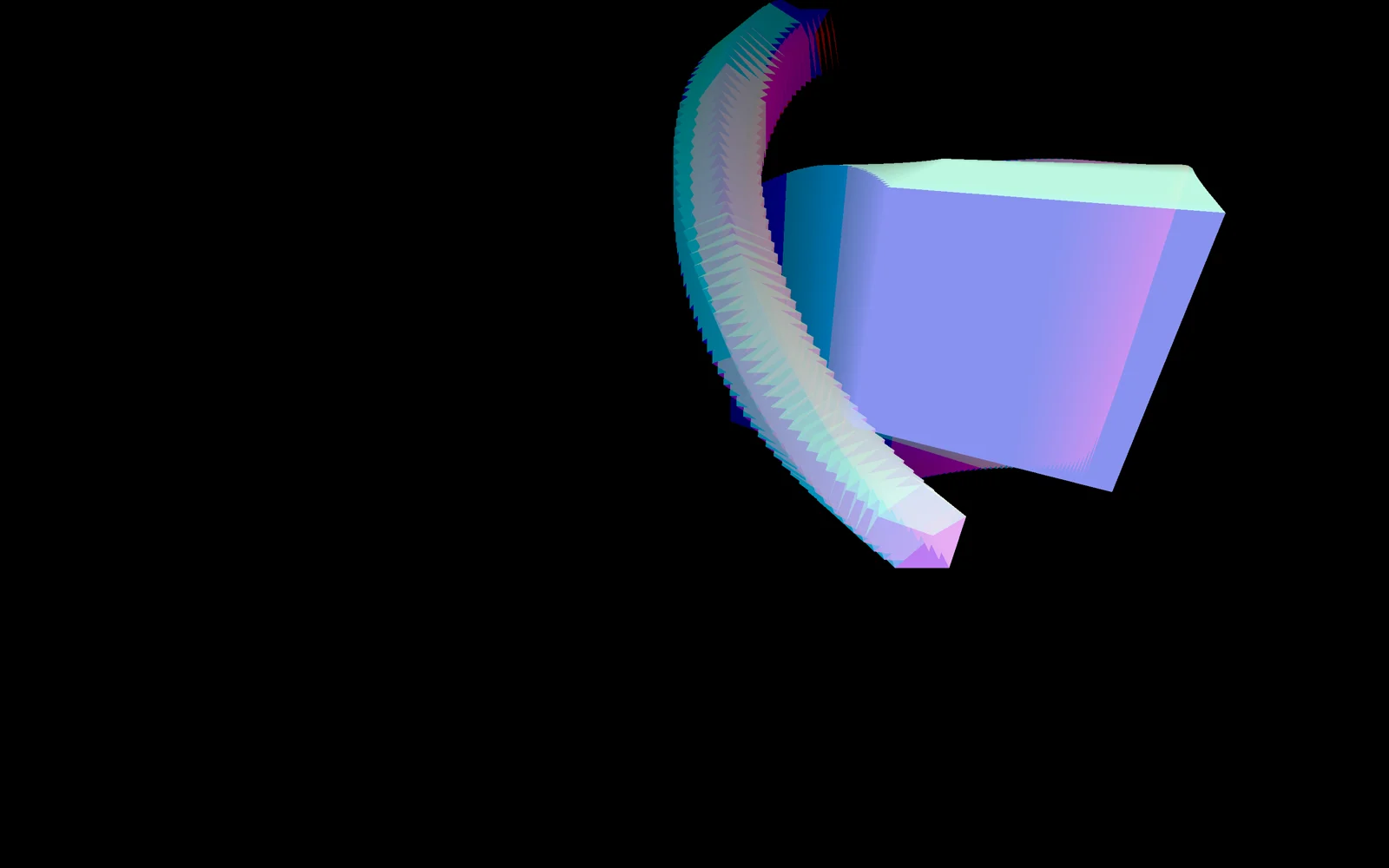
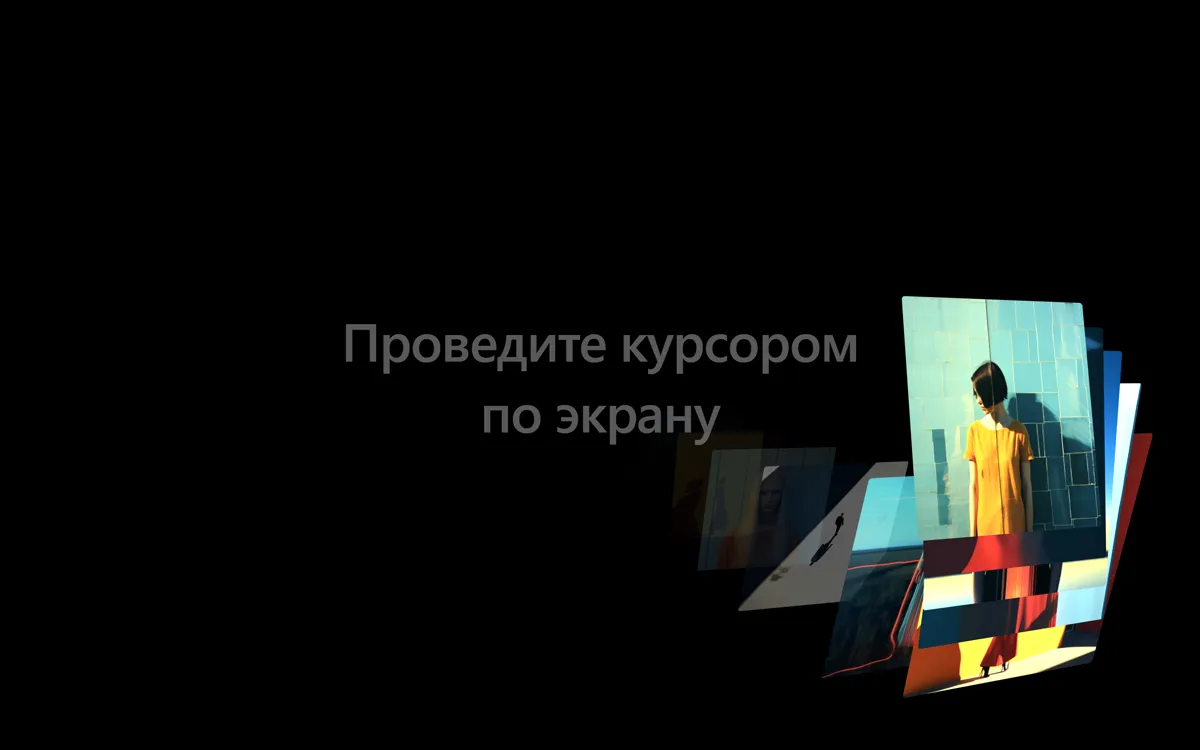
Чёрный экран, и стоит провести мышью, как за курсором тянется шлейф из фотографий. Каждая карточка вылетает из точки позади курсора, наклоняется по законам перспективы (чем дальше от центра экрана, тем сильнее поворот), вспыхивает яркостью, а потом отлетает вглубь и исчезает. Расстояние от центра определяет и «глубину»: у краёв кадры крупнее и ярче, у центра мельче и темнее. Это чистый DOM и GSAP, без WebGL: карточки это обычные div с фоном, а перспективу даёт CSS perspective и свойства z, rotationX, rotationY в GSAP. Подходит для первого экрана студии, портфолио фотографа, афиши, любой страницы, где нужно «вау» от одного движения мыши. На телефоне след рисует палец.
Библиотека дизайна / Эффекты и шейдеры
Курсор, который сыплет фотографиями
Курсор оставляет за собой след из фотографий: они вылетают с наклоном в 3D, вспыхивают яркостью и улетают вглубь экрана.
Промпт
Добавь в мой проект эффект «Курсор, который сыплет фотографиями» (Codrops, оригинал Motion Trail Animations, автор Pedro Botelho, лицензия MIT). Ниже HTML, CSS и JavaScript одним файлом на GSAP 3. Слой `.content` занимает весь экран (`position: fixed; inset: 0`, `touch-action: none`, чтобы палец рисовал след, а не прокручивал страницу). Внутри него лежат карточки `.content__img` с внутренним блоком `.content__img-inner`, у которого фон-картинка. Карточки абсолютно позиционированы в левом верхнем углу и скрыты (`opacity: 0`), а двигаются только через GSAP-свойства `x` и `y`.

Как это работает: на `pointermove` запоминается позиция курсора. На каждом кадре `gsap.ticker` позиция «хвоста» (`trailing`) догоняет курсор с отставанием (`LAG`), а каждые `THRESHOLD` пикселей пути (по умолчанию 80) вызывается `show()`, которая берёт следующую карточку из пула по кругу. Пул из 20 карточек получается клонированием тех, что лежат в разметке: это нужно, чтобы карточку не забирали, пока она ещё видна. В `show()` считается положение точки относительно центра экрана: из него выводятся наклон `rotationX`/`rotationY` (на всю ширину экрана 30 градусов), «глубина» `z` и яркость `brightness`. Таймлайн: карточка выезжает из точки позади курсора в точку на пути, затем за 0.4 секунды уезжает по `z` на -800 и гаснет.

Что менять: фотографии (8 штук в разметке, замени пути на свои, соотношение сторон задаётся в `aspect-ratio`), размер карточки (`width: 260px`), частоту (`THRESHOLD`: меньше значит гуще), инерцию (`LAG`), силу наклона (число 30), диапазон глубины (число 1200) и яркости (0.2 и 2.3), скорость (`duration`). Фон `#000` можно заменить любым, но на светлом фоне вспышки яркости смотрятся хуже. Если проект на React: добавь слой в компонент, подписки на `pointermove`, `pointerdown` и функцию из `gsap.ticker.add` делай в `useEffect` и снимай при размонтировании (`removeEventListener`, `gsap.ticker.remove`, `gsap.killTweensOf` для карточек), клонирование пула лучше заменить на рендер 20 элементов из массива. Не убирай `will-change` и `gsap.set(imgs, {xPercent: -50, yPercent: -50})`: на них держится центрирование карточки без измерений.
Покажи, где на моей странице использовать этот эффект, и подставь мои фотографии.
Код скопируется вместе с промптом
Код
<!DOCTYPE html>
<html lang="ru">
<head>
<meta charset="UTF-8">
<meta name="viewport" content="width=device-width, initial-scale=1">
<title>Image motion trail in 3D</title>
<style>
  *, *::before, *::after { box-sizing: border-box; }
  html, body { height: 100%; margin: 0; overflow: hidden; background: #000; color: #fff;
               font-family: system-ui, -apple-system, "Segoe UI", sans-serif; }
  .hint { position: fixed; inset: 0; display: grid; place-items: center; text-align: center;
          font-size: clamp(1.5rem, 5vw, 4rem); font-weight: 600; letter-spacing: -0.02em; opacity: 0.35; pointer-events: none; }
  /* the layer the pictures live in; touch draws the trail instead of scrolling */
  .content { position: fixed; inset: 0; z-index: 100; touch-action: none; }
  .content__img { position: absolute; top: 0; left: 0; width: 260px; aspect-ratio: 1; border-radius: 4px;
                  opacity: 0; overflow: hidden; will-change: transform, filter; }
  .content__img-inner { position: absolute; inset: 0; background-size: cover; background-position: 50% 50%; }
</style>
</head>
<body>
  <div class="hint">Проведите курсором<br>по экрану</div>

  <div class="content">
    <!-- Replace the pictures with yours: /images/1.jpg ... /images/8.jpg -->
    <div class="content__img"><div class="content__img-inner" style="background-image:url(/images/1.jpg)"></div></div>
    <div class="content__img"><div class="content__img-inner" style="background-image:url(/images/2.jpg)"></div></div>
    <div class="content__img"><div class="content__img-inner" style="background-image:url(/images/3.jpg)"></div></div>
    <div class="content__img"><div class="content__img-inner" style="background-image:url(/images/4.jpg)"></div></div>
    <div class="content__img"><div class="content__img-inner" style="background-image:url(/images/5.jpg)"></div></div>
    <div class="content__img"><div class="content__img-inner" style="background-image:url(/images/6.jpg)"></div></div>
    <div class="content__img"><div class="content__img-inner" style="background-image:url(/images/7.jpg)"></div></div>
    <div class="content__img"><div class="content__img-inner" style="background-image:url(/images/8.jpg)"></div></div>
  </div>

  <script src="https://cdn.jsdelivr.net/npm/gsap@3.13.0/dist/gsap.min.js"></script>
  <script>
    // Based on Codrops MotionTrailAnimations (MIT), https://github.com/codrops/MotionTrailAnimations
    const THRESHOLD = 80;   // pointer distance between two pictures, px
    const LAG = 0.1;        // how far the "trailing" point lags behind the pointer (lower = longer lag)
    const POOL = 20;        // pictures taking turns (clones of the ones in the markup)

    const content = document.querySelector('.content');
    const originals = [...content.querySelectorAll('.content__img')];
    // Clone the pictures so one is never taken back while it is still visible
    for (let i = originals.length; i < POOL; i++) content.appendChild(originals[i % originals.length].cloneNode(true));
    const imgs = [...content.querySelectorAll('.content__img')];
    gsap.set(imgs, { xPercent: -50, yPercent: -50 }); // center each picture on its x/y

    let pointer = null, trailing = null, last = null, count = 0, zIndex = 1;

    const reset = (x, y) => { pointer = { x, y }; trailing = { x, y }; last = { x, y }; };
    window.addEventListener('pointermove', (e) => (pointer ? (pointer = { x: e.clientX, y: e.clientY }) : reset(e.clientX, e.clientY)));
    window.addEventListener('pointerdown', (e) => reset(e.clientX, e.clientY));

    // Shows one picture at "to"; it flies in from "from" (where the trailing point is) with 3D tilt
    function show(to, from) {
      const w = window.innerWidth / 2, h = window.innerHeight / 2;
      const relX = to.x - w, relY = to.y - h;
      // Tilt by the distance from the screen center (full width = 30deg)
      const rotX = -(relY / h) * 30, rotY = (relX / w) * 30;
      // Far from the center = closer to the viewer = bigger and brighter
      const proportion = Math.hypot(relX, relY) / Math.hypot(w, h);
      const z = proportion * 1200 - 600;
      const brightness = 0.2 + ((z + 600) / 1200) * 2.3;

      const img = imgs[count++ % imgs.length];
      gsap.killTweensOf(img);
      gsap.timeline()
        .set(content, { perspective: 1000 }, 0)
        .fromTo(img,
          { opacity: 1, z: 0, scale: 1 + z / 1000, zIndex: ++zIndex, x: from.x, y: from.y,
            rotationX: rotX, rotationY: rotY, filter: `brightness(${brightness})` },
          { duration: 1, ease: 'expo', scale: 1 + z / 1000, x: to.x, y: to.y, rotationX: rotX, rotationY: rotY }, 0)
        // then it flies away from the viewer and fades out
        .to(img, { duration: 0.4, ease: 'power2', opacity: 0, z: -800 }, 0.3);
    }

    // Every frame: move the trailing point, and drop a picture every THRESHOLD px along the pointer's path
    gsap.ticker.add(() => {
      if (!pointer) return;
      const dt = gsap.ticker.deltaRatio(60);
      const follow = 1 - Math.pow(1 - LAG, dt);
      trailing.x += (pointer.x - trailing.x) * follow;
      trailing.y += (pointer.y - trailing.y) * follow;

      let dx = pointer.x - last.x, dy = pointer.y - last.y, dist = Math.hypot(dx, dy);
      if (dist < THRESHOLD) return;
      const step = { x: (dx / dist) * THRESHOLD, y: (dy / dist) * THRESHOLD };
      for (let n = 0; dist >= THRESHOLD && n < 4; n++) {
        last = { x: last.x + step.x, y: last.y + step.y };
        dist -= THRESHOLD;
        const lead = { x: pointer.x - trailing.x, y: pointer.y - trailing.y };
        show(last, { x: last.x - lead.x, y: last.y - lead.y });
      }
      if (dist >= THRESHOLD) last = { ...pointer }; // too far to fill in: catch up
    });
  </script>
</body>
</html>