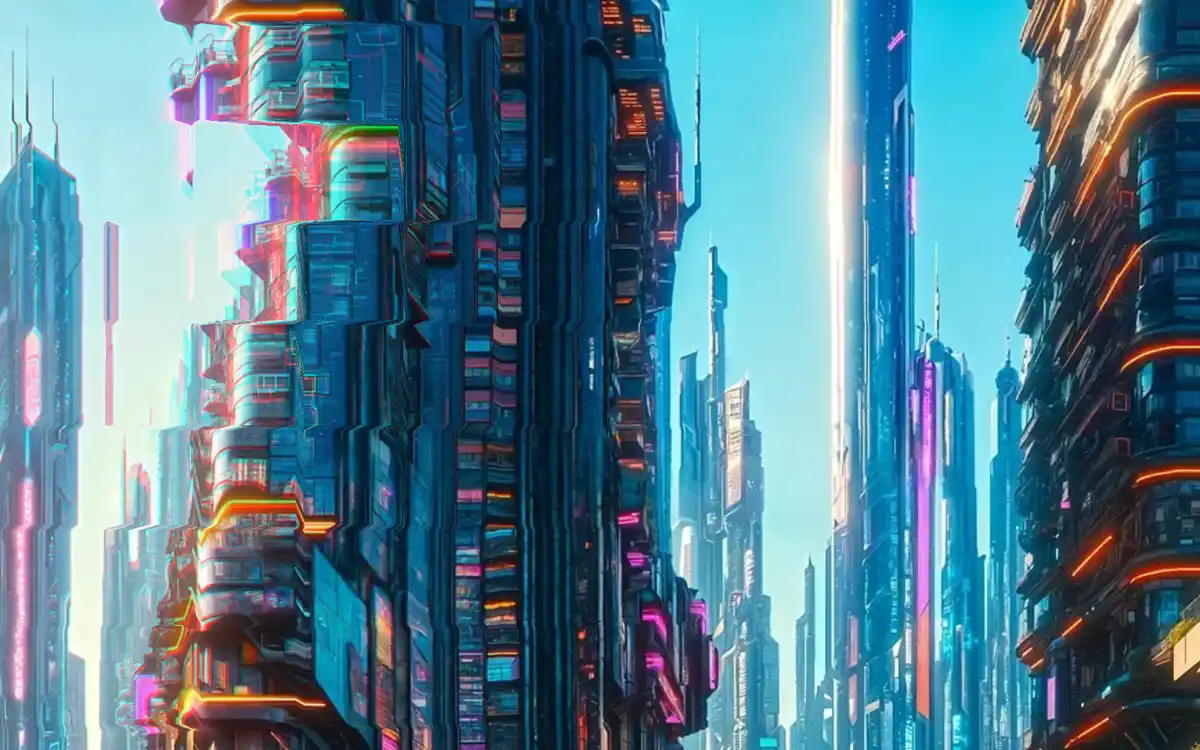
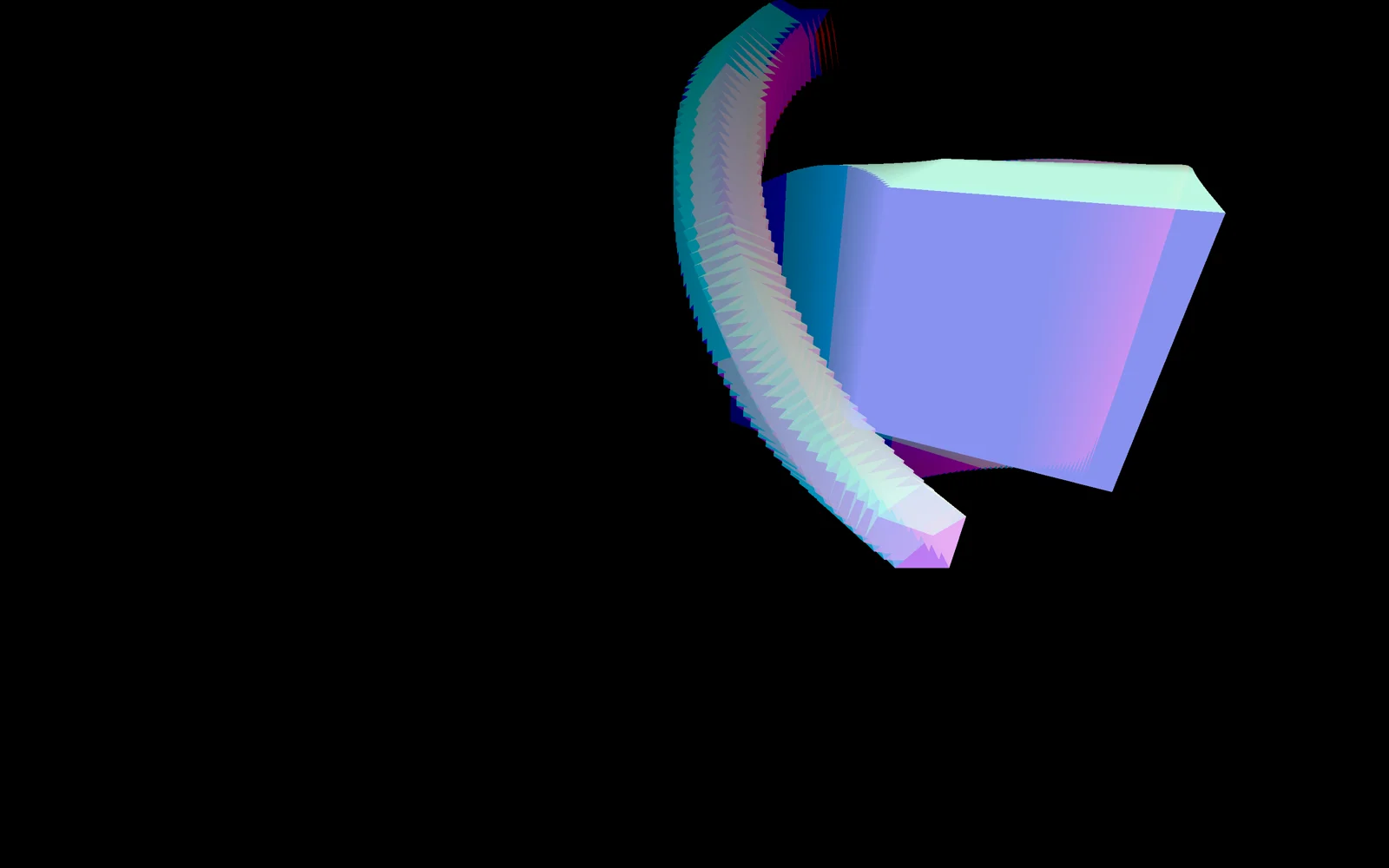
Полноэкранное фото: курсор тянет его квадратными плитками с RGB-сдвигом, а слайды сменяются рваной пиксельной кромкой.
Промпт
Добавь на мою страницу эффект «Курсор рвёт картинку на плитки» (по мотивам Anton Bobrov «Three.js Cursor Tiles Distortion», лицензия MIT; оригинал на WebGPU/TSL, здесь переписан на WebGL). Ниже готовая страница на three.js 0.170.0 (через importmap с jsdelivr). Сначала перенеси её как есть и открой через локальный сервер, а не как файл: браузер не даст WebGL прочитать картинки с адреса `file://`. Проверь, что за курсором тянется шлейф из плиток, а колесо меняет слайд с рваной кромкой, и только потом подгоняй.

Как устроен код. Всё рисуется двумя полноэкранными проходами с `OrthographicCamera`. Проход «flow» пишет в пару `WebGLRenderTarget` 256×256 (`HalfFloatType`, меняются местами каждый шаг) скорость курсора: экран делится на клетки (`uBlocks` рядов, столбцов по пропорции экрана), для каждой клетки берётся прошлое значение, умножается на затухание `exp(-decay)` и к нему прибавляется скорость курсора с весом `exp(-расстояние / radius)`. Шаги идут с фиксированной частотой 165 Гц, не больше пяти за кадр, поэтому след одинаков при любом FPS. Финальный проход берёт из этой текстуры вектор, сдвигает на него координаты (`uDistortion`), рисует слайды функцией `scene()` и разносит каналы R и G/B (`uAberration`). `scene()` показывает слайд A выше линии `uProgress` и слайд B ниже; плитки, где шум меньше 0.2, сдвинуты на `0.2 * uAmp`, а `uAmp` максимален в середине смены. Курсор сглаживается (`pointerEase`), его скорость в пикселях в секунду делится на размер экрана. Слайдер — объект `snap`: колесо и стрелки вызывают `go(±1)`, перетаскивание двигает `snap.pos` за пальцем и докручивает до ближайшего слайда за 1 секунду с `easeOutCubic`; слайды идут по кругу.

Что менять: картинки в `IMAGES` (сколько угодно, горизонтальные), всё в `SETTINGS`: `blocks` (размер плиток), `distortion` (сила сдвига, 0.005–0.04), `radius` и `decay` (ширина и длина шлейфа), `aberration`, `dyeStrength`, `duration`. Подсказку `.hint` перепиши или убери.

Если проект на React: держи холст в компоненте с `useRef`, создавай рендерер, материалы и `setAnimationLoop` в `useEffect`, а при размонтировании вызови `renderer.setAnimationLoop(null)`, `dispose()` у рендерера, двух render target, материалов и текстур и сними все слушатели (`mousemove`, `touchmove`, `wheel`, `pointer*`, `resize`). Если эффект не на весь экран, а в блоке, бери координаты курсора относительно блока и размер блока вместо `innerWidth`/`innerHeight`. Не меняй `HalfFloatType` на обычный тип: в 8-битной текстуре отрицательная скорость обрежется и шлейф пойдёт только в одну сторону. Ветку `prefers-reduced-motion` оставь: там нет искажения и слайды меняются сразу.
Покажи, где на моём сайте такой экран будет к месту, и подставь мои картинки.
Код скопируется вместе с промптом
Картинка на весь экран, и стоит повести мышью, как за курсором тянется шлейф из квадратных плиток: каждая плитка сдвигает свой кусок фото по направлению движения, по краям расходятся цвета, а через секунду всё спокойно складывается обратно. Колесо, перетаскивание или свайп меняют слайд: новое фото поднимается снизу, а граница между снимками идёт не ровной линией, а рваной «лесенкой» из выступающих плиток.
Под капотом два шейдера на three.js. Первый каждые 6 мс пишет в маленькую текстуру 256×256 скорость курсора: след считается по клеткам сетки (15 рядов), поэтому он блочный, и плавно затухает. Второй рисует слайды и сдвигает их на величину из этой текстуры, добавляя RGB-сдвиг. Рваная кромка при смене слайда — шум по клеткам: примерно каждая четвёртая плитка выступает за линию. В оригинале автор пишет на WebGPU и TSL с библиотекой vevet, здесь то же самое переписано на обычные GLSL-шейдеры WebGL, чтобы работало везде одним файлом. Подходит для первого экрана студии, игрового или технологичного продукта, портфолио в стиле киберпанк. На телефоне след рисует палец, слайды листаются свайпом.
Код
<!-- Pictures: images/1.webp ... images/3.webp (replace with your own, landscape 16:9). Serve over http, not file:// -->
<!DOCTYPE html>
<html lang="en">
<head>
<meta charset="UTF-8">
<meta name="viewport" content="width=device-width, initial-scale=1">
<title>Cursor Tiles Distortion</title>
<link rel="icon" href="data:,">
<script type="importmap">{ "imports": { "three": "https://cdn.jsdelivr.net/npm/three@0.170.0/build/three.module.js" } }</script>
<style>
*, *::before, *::after { box-sizing: border-box; }
html, body { height: 100%; margin: 0; overflow: hidden; overscroll-behavior: none; background: #000; color: #fff; }
/* the whole screen is the slider: wheel, drag or swipe changes the picture */
.scene { position: fixed; inset: 0; cursor: grab; touch-action: none; }
.scene.is-grabbing { cursor: grabbing; }
.scene canvas { position: absolute; inset: 0; width: 100%; height: 100%; display: block; }
.hint { position: fixed; left: 16px; bottom: 16px; z-index: 10; padding: 6px 10px; border-radius: 999px;
  background: rgb(255 255 255 / 96%); color: #111827; font: 12px/1.2 Arial, sans-serif; letter-spacing: .02em; pointer-events: none; }
</style>
</head>
<body>
<div class="scene" id="scene" tabindex="0" aria-label="Picture slider: scroll, drag or use the arrow keys"></div>
<div class="hint">Move the cursor · scroll to change</div>

<script type="module">
// Based on "Three.js Cursor Tiles Distortion" by Anton Bobrov (MIT, Copyright (c) 2026 Anton Bobrov),
// https://github.com/antonbobrov/threejs-cursor-tiles-distortion — rewritten from WebGPU/TSL to WebGL shaders
import * as THREE from 'three';

const reduceMotion = matchMedia('(prefers-reduced-motion: reduce)').matches;
const IMAGES = [1, 2, 3].map(n => `images/${n}.webp`);
const SETTINGS = {
  pointerEase: 0.2,            // how fast the virtual pointer catches up with the real one
  radius: 0.04, decay: 0.05,   // size of the cursor "splat" and how fast the trail fades
  dyeStrength: 0.01,           // white tint where the trail is strong
  aberration: 0.1,             // RGB split along the trail
  distortion: reduceMotion ? 0 : 0.015,   // how far the trail drags the picture
  blocks: 15,                  // tile rows on screen (columns follow the aspect ratio)
  duration: reduceMotion ? 0 : 1000       // slide change, ms
};

const container = document.getElementById('scene');
const renderer = new THREE.WebGLRenderer({ antialias: false });
renderer.setPixelRatio(Math.min(devicePixelRatio, 2));
container.appendChild(renderer.domElement);
const camera = new THREE.OrthographicCamera(-1, 1, 1, -1, 0, 1);
const quad = new THREE.PlaneGeometry(2, 2);
const vertexShader = `varying vec2 vUv; void main() { vUv = uv; gl_Position = vec4(position.xy, 0.0, 1.0); }`;
const uAspect = { value: innerWidth / innerHeight };
const uBlocks = { value: SETTINGS.blocks };

// 1. Flow: a 256x256 velocity texture. Each step it fades and gets a "splat" of pointer velocity.
// Everything is computed per tile (cell), so the trail is blocky.
const rtOptions = { type: THREE.HalfFloatType, depthBuffer: false };
let flowRead = new THREE.WebGLRenderTarget(256, 256, rtOptions);
let flowWrite = new THREE.WebGLRenderTarget(256, 256, rtOptions);
const flowMaterial = new THREE.ShaderMaterial({
  vertexShader,
  uniforms: { uPrev: { value: null }, uMouse: { value: new THREE.Vector2() }, uVelocity: { value: new THREE.Vector2() },
    uAspect, uBlocks, uRadius: { value: SETTINGS.radius }, uDecay: { value: SETTINGS.decay }, uDt: { value: 0 } },
  fragmentShader: /* glsl */ `
    uniform sampler2D uPrev; uniform vec2 uMouse, uVelocity; uniform float uAspect, uBlocks, uRadius, uDecay, uDt;
    varying vec2 vUv;
    void main() {
      vec2 ratio = vec2(uAspect, 1.0);
      vec2 grid = vec2(uAspect * uBlocks, uBlocks);
      vec2 cellUV = (floor(vUv * grid) + 0.5) / grid;
      float mask = exp(-distance(cellUV * ratio, uMouse * ratio) / uRadius);
      vec2 base = texture2D(uPrev, cellUV).rg * exp(-uDecay * uDt * 60.0 / 1000.0);
      gl_FragColor = vec4(base + uVelocity * mask, 0.0, 1.0);
    }`
});
const flowScene = new THREE.Scene().add(new THREE.Mesh(quad, flowMaterial));

// 2. Final pass: draws the slides (with a ragged tile edge while switching) at uv shifted by the flow,
// plus an RGB split and a faint white dye along the trail
const loader = new THREE.TextureLoader();
const textures = IMAGES.map(src => loader.load(src));
const finalMaterial = new THREE.ShaderMaterial({
  vertexShader,
  uniforms: { uFlow: { value: null }, uTexA: { value: textures[0] }, uTexB: { value: textures[1] },
    uAspectA: { value: 16 / 9 }, uAspectB: { value: 16 / 9 }, uAspect, uBlocks,
    uProgress: { value: 0 }, uAmp: { value: 0 }, uTime: { value: 0 },
    uDistortion: { value: SETTINGS.distortion }, uDye: { value: SETTINGS.dyeStrength }, uAberration: { value: SETTINGS.aberration } },
  fragmentShader: /* glsl */ `
    uniform sampler2D uFlow, uTexA, uTexB;
    uniform float uAspectA, uAspectB, uAspect, uBlocks, uProgress, uAmp, uTime, uDistortion, uDye, uAberration;
    varying vec2 vUv;
    float hash(vec2 p) { return fract(sin(dot(p, vec2(127.1, 311.7))) * 43758.5453); }
    float noise(vec2 p) {   // gradient-ish value noise in -1..1
      vec2 i = floor(p), f = fract(p), u = f * f * (3.0 - 2.0 * f);
      float n = mix(mix(hash(i), hash(i + vec2(1, 0)), u.x), mix(hash(i + vec2(0, 1)), hash(i + vec2(1, 1)), u.x), u.y);
      return n * 2.0 - 1.0;
    }
    vec2 cover(vec2 uv, float texAspect) {   // background-size: cover
      return texAspect > uAspect ? vec2((uv.x - 0.5) * uAspect / texAspect + 0.5, uv.y)
                                 : vec2(uv.x, (uv.y - 0.5) * texAspect / uAspect + 0.5);
    }
    vec4 scene(vec2 uv) {
      vec2 grid = vec2(uAspect * uBlocks, uBlocks);
      vec2 cellUV = (floor(uv * grid) + 0.5) / grid;
      float chunky = step(abs(noise(cellUV * 100.0 + uTime * 0.1)), 0.2);   // ~ every 4th tile sticks out
      float amp = 0.2 * uAmp;
      float bottomA = uProgress - amp + chunky * amp;   // slide A shows above this line, slide B below
      float inA = step(bottomA, cellUV.y) * step(cellUV.y, bottomA + 1.0);
      float inB = (1.0 - inA) * step(bottomA - 1.0, cellUV.y) * step(cellUV.y, bottomA);
      return texture2D(uTexA, cover(uv, uAspectA)) * inA + texture2D(uTexB, cover(uv, uAspectB)) * inB;
    }
    void main() {
      vec2 flow = texture2D(uFlow, vUv).rg;
      vec2 sceneUV = vUv - flow * uDistortion;
      vec2 ca = flow * uAberration * uDistortion;
      vec3 color = vec3(scene(clamp(sceneUV + ca, 0.0, 1.0)).r, scene(clamp(sceneUV - ca, 0.0, 1.0)).gb);
      float dye = length(clamp(flow, -1.0, 1.0)) * uDye;
      gl_FragColor = vec4(mix(color, vec3(1.0), dye), 1.0);
    }`
});
const finalScene = new THREE.Scene().add(new THREE.Mesh(quad, finalMaterial));
textures.forEach(t => { t.generateMipmaps = false; t.minFilter = THREE.LinearFilter; });

// Pointer: eased position and its velocity (px per second)
const pointer = { target: new THREE.Vector2(), current: new THREE.Vector2(), prev: new THREE.Vector2(), velocity: new THREE.Vector2(), active: false };
function onMove(x, y) {
  pointer.target.set(x, y);
  if (!pointer.active) { pointer.current.copy(pointer.target); pointer.velocity.set(0, 0); pointer.active = true; }
}
addEventListener('mousemove', e => onMove(e.clientX, e.clientY));
addEventListener('touchmove', e => onMove(e.touches[0].clientX, e.touches[0].clientY), { passive: true });
addEventListener('touchend', () => { pointer.active = false; });
document.body.addEventListener('mouseleave', () => { pointer.active = false; });

// Slider: position in slides (fractional while switching), loops over the pictures
const snap = { pos: 0, from: 0, to: 0, start: 0, animating: false };
const easeOutCubic = t => 1 - Math.pow(1 - t, 3);
function goTo(target) {
  Object.assign(snap, { from: snap.pos, to: target, start: performance.now(), animating: true });
}
function go(dir) { if (!snap.animating && !drag) goTo(Math.round(snap.pos) + dir); }
container.addEventListener('wheel', e => { e.preventDefault(); if (Math.abs(e.deltaY) > 2) go(Math.sign(e.deltaY)); }, { passive: false });
container.addEventListener('keydown', e => {
  if (['ArrowDown', 'PageDown', ' '].includes(e.key)) { e.preventDefault(); go(1); }
  if (['ArrowUp', 'PageUp'].includes(e.key)) { e.preventDefault(); go(-1); }
});
// Drag / swipe: the picture follows the finger, then snaps to the nearest slide
let drag = null;
container.addEventListener('pointerdown', e => {
  drag = { y: e.clientY, pos: snap.pos };
  snap.animating = false;
  container.classList.add('is-grabbing');
  container.setPointerCapture(e.pointerId);
});
container.addEventListener('pointermove', e => { if (drag) snap.pos = drag.pos - (e.clientY - drag.y) / innerHeight; });
const endDrag = e => {
  if (!drag) return;
  const dy = e.clientY - drag.y;
  const base = Math.round(drag.pos);
  goTo(Math.abs(dy) > 40 ? base - Math.sign(dy) : Math.round(snap.pos));
  drag = null;
  container.classList.remove('is-grabbing');
};
container.addEventListener('pointerup', endDrag);
container.addEventListener('pointercancel', endDrag);

function resize() {
  renderer.setSize(innerWidth, innerHeight);
  uAspect.value = innerWidth / innerHeight;
}
resize();
addEventListener('resize', resize);

// Loop: ease the pointer, step the flow at a fixed 165 Hz (max 5 steps per frame), then draw
const STEP_MS = 1000 / 165;
let last = performance.now(), accum = 0;
renderer.setAnimationLoop(now => {
  const dt = Math.min(Math.max(now - last, 0), 100);
  last = now;

  const k = 1 - Math.pow(1 - SETTINGS.pointerEase, dt / (1000 / 60));
  pointer.prev.copy(pointer.current);
  pointer.current.lerp(pointer.target, k);
  pointer.velocity.subVectors(pointer.current, pointer.prev).divideScalar(Math.max(dt / 1000, 1e-6));
  flowMaterial.uniforms.uMouse.value.set(pointer.current.x / innerWidth, 1 - pointer.current.y / innerHeight);
  flowMaterial.uniforms.uVelocity.value.set(pointer.velocity.x / innerWidth, -pointer.velocity.y / innerHeight);

  accum += dt;
  let steps = 0;
  while (accum >= STEP_MS && steps < 5) {
    flowMaterial.uniforms.uPrev.value = flowRead.texture;
    flowMaterial.uniforms.uDt.value = STEP_MS;
    renderer.setRenderTarget(flowWrite);
    renderer.render(flowScene, camera);
    [flowRead, flowWrite] = [flowWrite, flowRead];
    accum -= STEP_MS; steps++;
  }
  if (steps === 5) accum = 0;
  renderer.setRenderTarget(null);

  if (snap.animating) {
    const t = SETTINGS.duration ? Math.min((now - snap.start) / SETTINGS.duration, 1) : 1;
    snap.pos = snap.from + (snap.to - snap.from) * easeOutCubic(t);
    if (t === 1) snap.animating = false;
  }
  const n = IMAGES.length;
  const index = Math.floor(snap.pos);
  const progress = snap.pos - index;   // 0..1 between slide A (index) and slide B (index + 1)
  const a = textures[((index % n) + n) % n], b = textures[(((index + 1) % n) + n) % n];
  const u = finalMaterial.uniforms;
  u.uTexA.value = a; u.uTexB.value = b;
  if (a.image) u.uAspectA.value = a.image.width / a.image.height;
  if (b.image) u.uAspectB.value = b.image.width / b.image.height;
  u.uProgress.value = progress;
  u.uAmp.value = 1 - Math.abs(1 - 2 * progress);   // tiles stick out most in the middle of a switch
  u.uTime.value = now / 1000;
  u.uFlow.value = flowRead.texture;
  renderer.render(finalScene, camera);
});
</script>
</body>
</html>