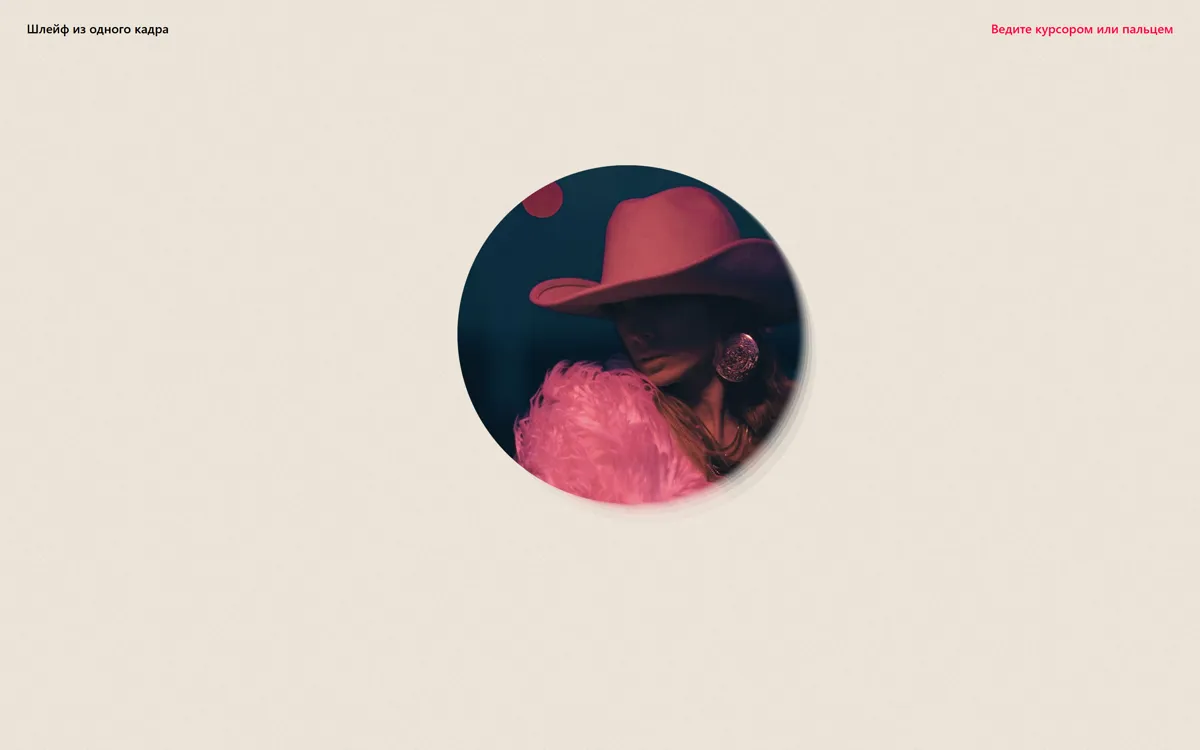
Одно круглое фото из 18 полупрозрачных копий: верхняя идёт за курсором, остальные отстают и тянутся шлейфом. Без библиотек.
Промпт
Добавь в мой проект эффект «Круглое фото, за которым тянется шлейф из копий» (Codrops Sketch 008: Image Motion Trail (Circle), лицензия MIT). Ниже готовый HTML, CSS и JavaScript одним файлом, без библиотек. Сначала перенеси как есть и проверь: круг движется за курсором, за ним тянется полупрозрачный шлейф, в покое копии снова сходятся в один круг. Потом подгоняй.

Как устроен код. В разметке один пустой блок `.trail` с атрибутом `data-src` (путь к фото). Класс `ImageTrail` создаёт внутри `OPTIONS.total` (18) одинаковых `<img class="trail__img">`, все лежат в одной ячейке CSS Grid (`grid-area: 1 / 1 / 2 / 2`), то есть друг на друге. Прозрачность растёт от нижней копии к верхней (`1 / total * i + 1 / total`), у верхней 1. На каждом кадре `requestAnimationFrame` позиция курсора переводится функцией `map` в диапазон `OPTIONS.range` (±100 px), и каждая копия подтягивается к этой точке через `lerp` со своим коэффициентом `amt(i) = 0.02 * i + 0.05`: чем выше копия, тем быстрее. Сдвиг пишется в `transform: translate3d`. Курсор берётся из `pointermove`, поэтому работают мышь, перо и палец, а `touch-action: none` на `.content` не даёт пальцу прокручивать страницу.

Что менять: фото (`data-src`, лучше квадратное), размер круга (`width: min(45vh, 70vw)`), форму (убери `border-radius: 50%`, и будет квадратный шлейф), число копий `total` (меньше значит короче и легче), длину шлейфа (формула `amt`: меньше числа значит длиннее след), размах движения `range`, фон (`#ede5da` и текстура `img/bg.png`, её можно убрать). Блок «Auto demo» в конце водит круг сам, пока пользователь не двигал мышь: на рабочем сайте его можно удалить. При `prefers-reduced-motion` копии двигаются вместе, без шлейфа: оставь эту ветку.

Если проект на React: сделай компонент `<EchoTrail src="..." />`, копии рисуй из массива длиной `total`, ссылки на них храни в `useRef`, а цикл `requestAnimationFrame` и подписку на `pointermove` запускай в `useEffect` и снимай при размонтировании (`cancelAnimationFrame`, `removeEventListener`). Позиции копий держи в ref, не в state, иначе компонент будет перерисовываться 60 раз в секунду.
Покажи, где на моей странице этот эффект будет к месту, и подставь моё фото.
Код скопируется вместе с промптом
На бумажном фоне лежит одно круглое фото. Поведите мышью, и оно сдвигается вслед за курсором, а позади тянется мягкий шлейф. Шлейф собран из того же кадра: 18 его копий лежат стопкой, у нижних прозрачность меньше, и каждая догоняет курсор со своей скоростью. Верхняя быстрее всех, нижние запаздывают, поэтому при движении стопка растягивается в «эхо», а в покое снова собирается в один круг.
Чем отличается от «Курсор, который сыплет фотографиями» (image-trail-3d): там за курсором вылетают разные снимки и улетают вглубь экрана в 3D, а здесь кадр один и никуда не исчезает. Он ходит в пределах ±100 px от центра, след получается из его же отстающих копий. Эффект спокойный, светлый и без GSAP: чистый JavaScript, requestAnimationFrame и линейная интерполяция. Подходит для обложки портфолио, аватара на странице «Обо мне», анонса альбома или события. Пока мышь не двигалась, круг водит виртуальный курсор, на телефоне шлейф тянется за пальцем. Фото в демо взяты с Unsplash, их нужно заменить своими.
Код
<!DOCTYPE html>
<html lang="ru">
<head>
<meta charset="UTF-8">
<meta name="viewport" content="width=device-width, initial-scale=1">
<title>Image motion trail (circle)</title>
<link rel="icon" href="data:,">
<style>
  *, *::before, *::after { box-sizing: border-box; }
  html, body { height: 100%; margin: 0; }
  body {
    /* paper texture tile from the original sketch; replace or remove */
    background: #ede5da url(img/bg.png);
    color: #000;
    font-family: system-ui, -apple-system, "Segoe UI", sans-serif;
    font-weight: 500;
    overflow: hidden;
  }
  main { height: 100%; display: flex; flex-direction: column; }
  .frame { display: flex; justify-content: space-between; gap: 1rem; padding: 1.5rem 2rem; font-size: 15px; }
  .frame__title { margin: 0; font-size: inherit; font-weight: 500; }
  .frame__hint { color: #ff0037; }
  /* the whole page reacts to the pointer; touch moves the trail instead of scrolling */
  .content { flex: 1; display: grid; place-items: center; touch-action: none; }
  .trail { position: relative; display: grid; place-items: center; }
  /* all copies sit in the same grid cell, on top of each other */
  .trail__img {
    grid-area: 1 / 1 / 2 / 2;
    width: min(45vh, 70vw);
    aspect-ratio: 1;
    object-fit: cover;
    border-radius: 50%;
    will-change: transform;
    user-select: none;
    -webkit-user-drag: none;
  }
  @media (max-width: 640px) {
    .frame { flex-direction: column; text-align: center; padding: 1.25rem 1rem; }
  }
</style>
</head>
<body>
<main>
  <div class="frame">
    <h1 class="frame__title">Шлейф из одного кадра</h1>
    <span class="frame__hint">Ведите курсором или пальцем</span>
  </div>
  <div class="content">
    <!-- one picture: the script turns it into a stack of copies -->
    <div class="trail" data-src="img/1.jpg" role="img" aria-label="Круглое фото, за которым тянется шлейф из его копий"></div>
  </div>
</main>

<script>
/*
 * Based on Codrops Sketch 008: Image Motion Trail (Circle)
 * https://github.com/codrops/codrops-sketches/tree/main/008-image-motion-trail-circle
 * Copyright (c) 2022 Codrops. MIT License.
 * Permission is hereby granted, free of charge, to any person obtaining a copy of this software
 * and associated documentation files (the "Software"), to deal in the Software without restriction.
 * THE SOFTWARE IS PROVIDED "AS IS", WITHOUT WARRANTY OF ANY KIND.
 */
const OPTIONS = {
  total: 18,                 // number of copies in the stack
  range: { x: [-100, 100], y: [-100, 100] }, // how far the stack travels, px
  opacityChange: true,       // lower copies are more transparent
  amt: (i) => 0.02 * i + 0.05, // interpolation per copy: the top one is the fastest
};

const lerp = (a, b, n) => (1 - n) * a + n * b;
const map = (x, a, b, c, d) => ((x - a) * (d - c)) / (b - a) + c;
const reduceMotion = matchMedia('(prefers-reduced-motion: reduce)').matches;

let win = { width: innerWidth, height: innerHeight };
addEventListener('resize', () => (win = { width: innerWidth, height: innerHeight }));

const cursor = { x: win.width / 2, y: win.height / 2 };
let lastInput = -Infinity; // time of the last real pointer move

// real input: mouse, pen and touch (pointer events cover all three)
addEventListener('pointermove', (ev) => {
  cursor.x = ev.clientX;
  cursor.y = ev.clientY;
  lastInput = performance.now();
});

class ImageTrail {
  constructor(el, options) {
    this.el = el;
    this.o = options;
    const src = el.dataset.src;
    let html = '';
    for (let i = 0; i < this.o.total; i++) {
      const last = i === this.o.total - 1;
      const opacity = last ? 1 : (1 / this.o.total) * i + 1 / this.o.total;
      // only the top copy is announced; the rest are decoration
      html += `<img class="trail__img" src="${src}" alt="" draggable="false" style="opacity:${this.o.opacityChange ? opacity : 1}">`;
    }
    el.innerHTML = html;
    this.items = [...el.querySelectorAll('.trail__img')];
    this.pos = this.items.map(() => ({ x: 0, y: 0 }));
    requestAnimationFrame(this.render);
  }
  render = () => {
    const tx = map(cursor.x, 0, win.width, this.o.range.x[0], this.o.range.x[1]);
    const ty = map(cursor.y, 0, win.height, this.o.range.y[0], this.o.range.y[1]);
    this.items.forEach((img, i) => {
      // reduced motion: the copies move together, without the trailing lag
      const amt = reduceMotion ? 1 : this.o.amt(i);
      const p = this.pos[i];
      p.x = lerp(p.x, tx, amt);
      p.y = lerp(p.y, ty, amt);
      img.style.transform = `translate3d(${p.x}px, ${p.y}px, 0)`;
    });
    requestAnimationFrame(this.render);
  };
}

new ImageTrail(document.querySelector('.trail'), OPTIONS);

// Auto demo: while nobody touches the page, a virtual cursor draws loops
// (remove this block if the effect should react to the pointer only)
if (!reduceMotion) {
  const start = performance.now();
  const autoplay = (now) => {
    if (now - lastInput > 2500) {
      const t = (now - start) / 1000;
      cursor.x = win.width * (0.5 + 0.45 * Math.sin(t * 1.7));
      cursor.y = win.height * (0.5 + 0.42 * Math.sin(t * 2.3 + 1));
    }
    requestAnimationFrame(autoplay);
  };
  requestAnimationFrame(autoplay);
}
</script>
</body>
</html>